

Written by Will Duru, BSc (Hons) Sport and Exercise Science, award-winning Personal Trainer with over 10 years of experience in strength training and optimising recovery.
A workout planner app tells you what to train today, then records what you did so you can beat it next time. The 12REPS workout planner builds each session around your goal, your equipment and the time you have, and every exercise comes with a trainer demonstration.
This guide shows how the planner works in the gym and at home, and how to plan a training week that you will stick to.
What a good workout planner app should do
Most people who walk into a gym want to know one thing: what should I do today? A logbook cannot answer that. A planner can.
A useful workout planner app does four jobs:
- Gives you a session that fits your goal, your equipment and your time.
- Shows you how to do each exercise, so you are not guessing at technique.
- Records your sets, reps and weight in a few taps.
- Brings you back with a target to beat and a reason to keep going.
If you are still choosing an app, our comparison of 12REPS, Strong, Fitbod, Hevy and JEFIT looks at which type of app suits which lifter.
How the 12REPS workout planner builds your session
There are two ways to get a workout in 12REPS.
1. Open the app and your workout is ready
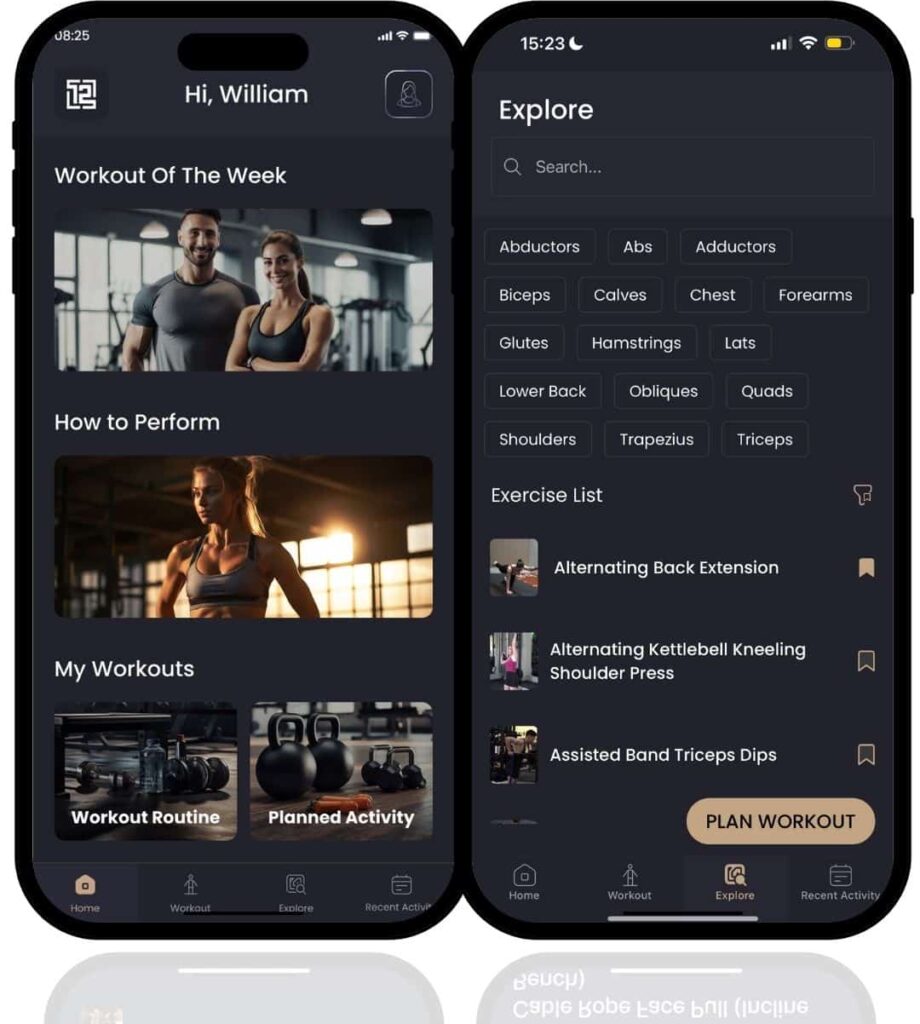
Your plan is built around your goal, your equipment and the time you have. When you open the app, the next session is waiting, for example Chest & Back, 60 minutes, 6 exercises.
This suits you if you want direction and do not want to design a program yourself.
2. Build your own with the body map
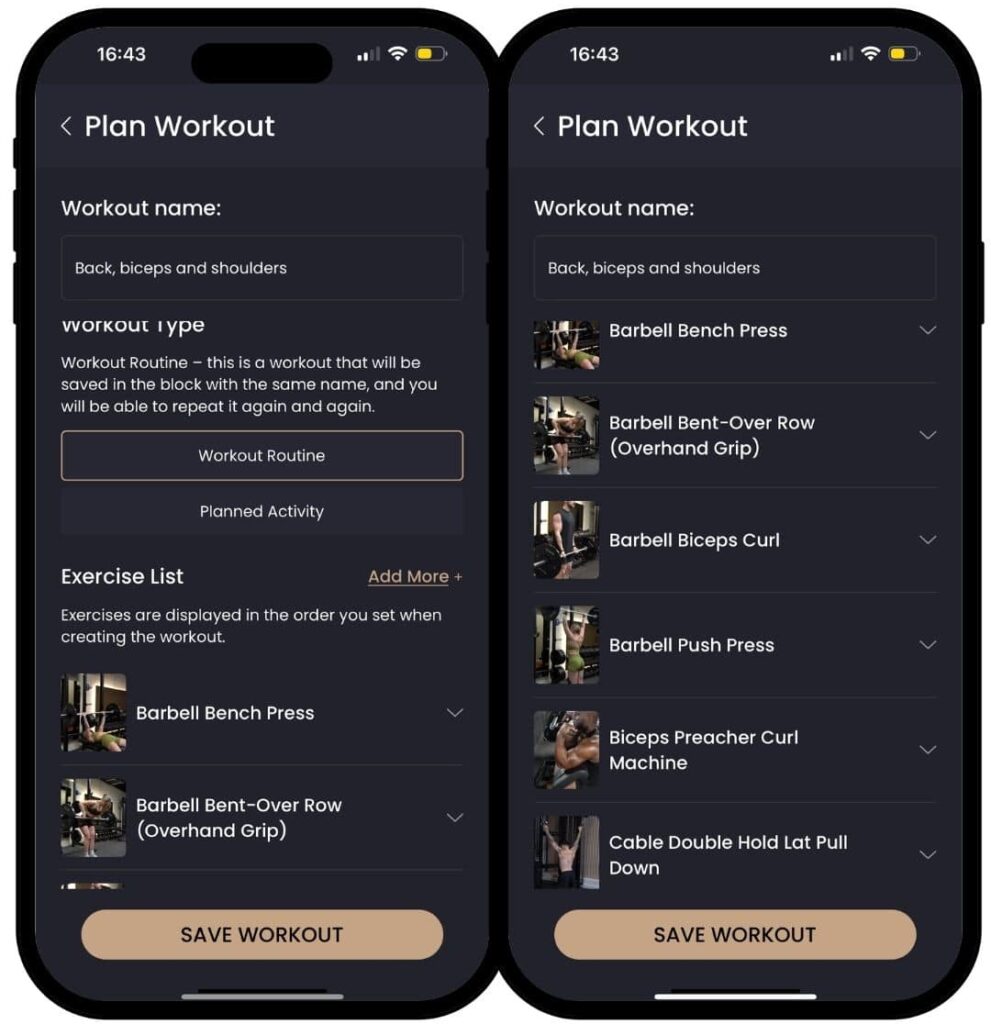
Want to train something specific? On the body map, choose the muscle, the equipment and the time you have. 12REPS builds the session, and you can save it and train.
This suits you if your gym is busy, you only have dumbbells today, or you want an extra session for one muscle group.
What happens during a workout
The workout flow is designed so you spend your time lifting, not scrolling.
- Tap Start Workout.
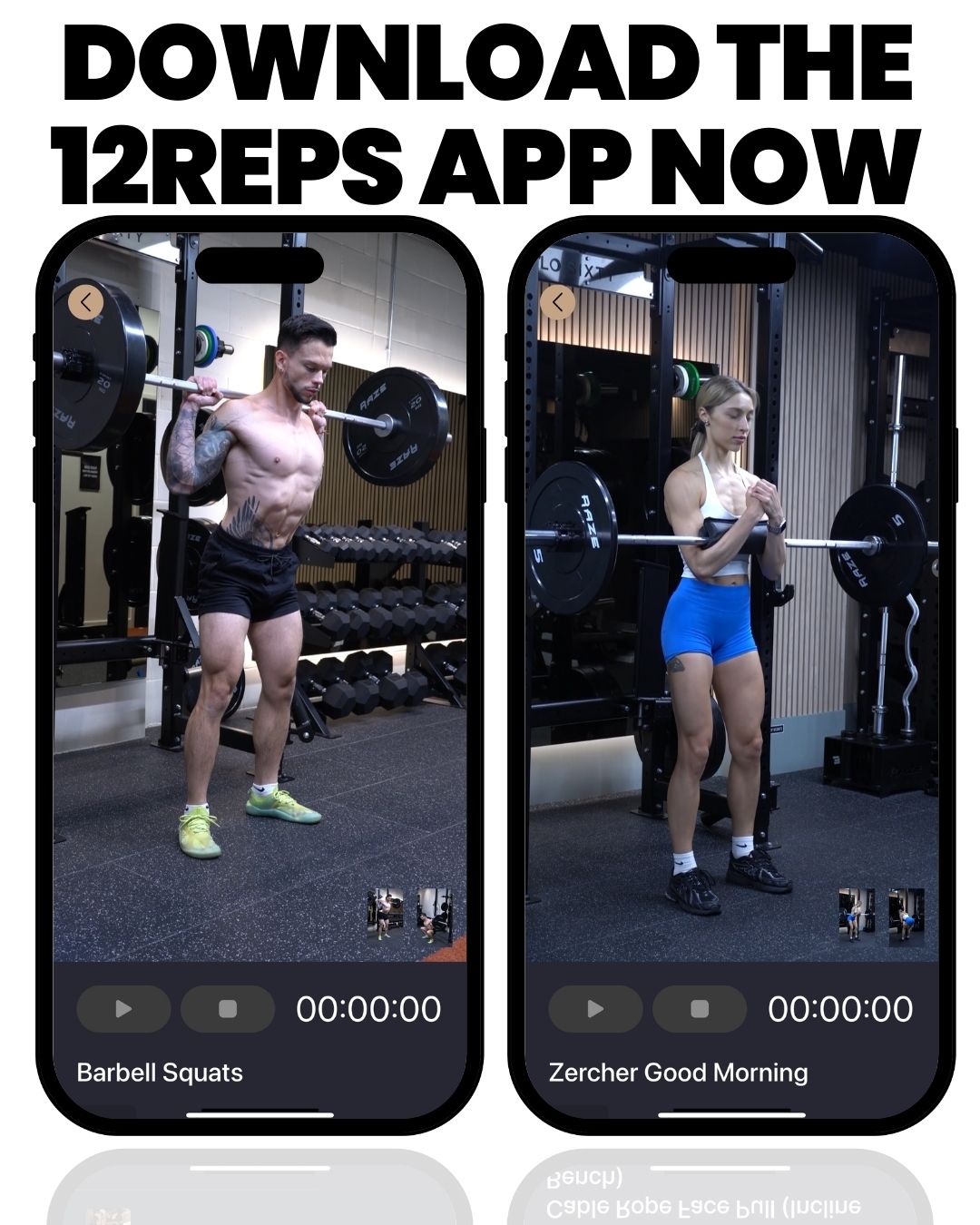
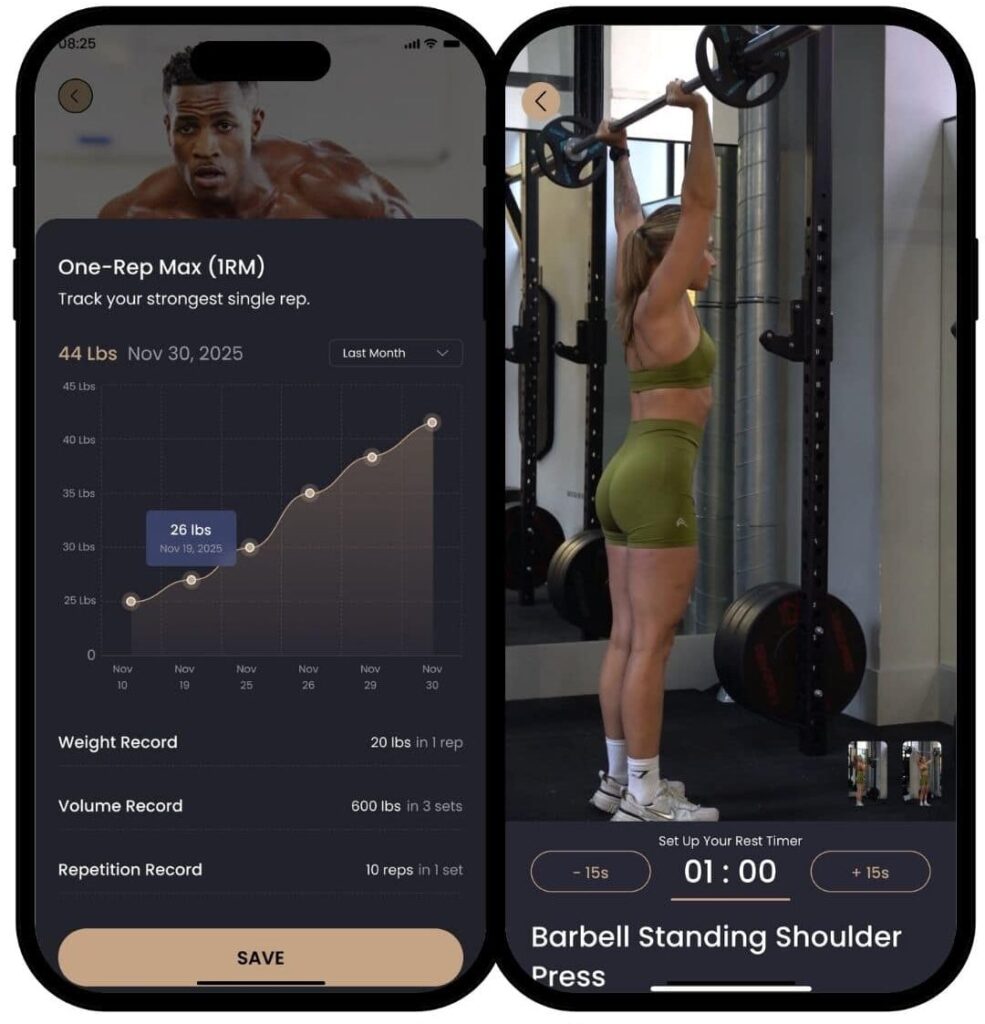
- Watch the demonstration for the first exercise. Each one comes from a real, qualified personal trainer and includes a technique breakdown.
- Do your set, then enter the reps and weight.
- Repeat for each set and exercise.
The app remembers what you lifted. Next time you do that exercise, you have a number to beat.
Video: Back workout with the 12reps app. Watch a full back session in the app to see how the demos and set logging work in a real gym.

How to plan your training week
An app can hand you the session, but it helps to know what a sensible week looks like. Three ideas matter most.
Train each muscle group at least twice a week
A review of studies found that training a muscle group twice a week led to more growth than once a week. Total work was matched. It is still unclear whether three times a week is better than two.
Health guidance agrees on a minimum. The NHS and the CDC both advise strength activities that work all major muscle groups on at least 2 days a week.
Do enough sets
Volume means the total work you do, often counted as hard sets per muscle group each week. A meta-analysis found that more weekly sets led to more muscle growth, and the authors suggested at least 10 weekly sets per muscle group to maximize gains.
You do not need to start there. Begin with what you can recover from and build up. Our guide to sets, reps and rest for muscle growth explains the basics.
Use progressive overload
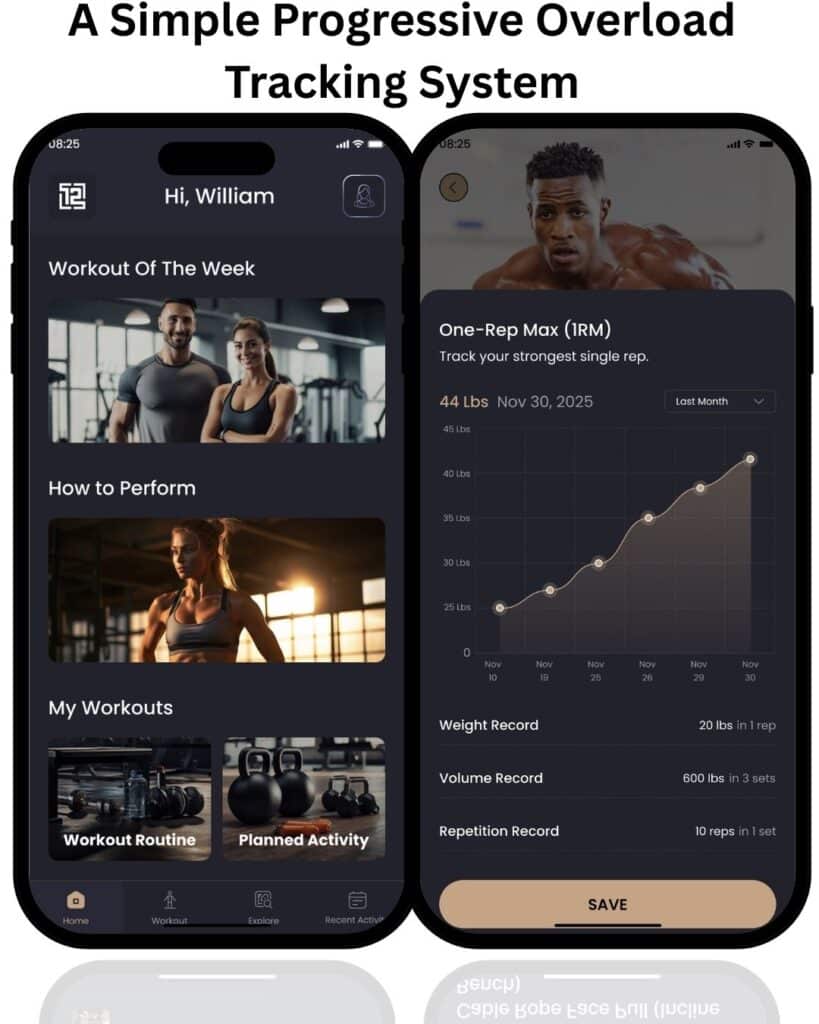
Progressive overload means asking your muscles to do a little more over time. That could be one more rep, a small increase in weight or an extra set.
This is where a planner earns its place. Seeing last week’s numbers before each set makes it clear what to beat. Read our beginner guide to progressive overload for simple ways to progress.
Example weekly layouts
These layouts show how often you might train. They are not set-and-rep prescriptions. Let your plan fill in the exercises.
| Days per week | Simple layout | Each muscle group trained |
|---|---|---|
| 2 | Full body, full body | Twice a week |
| 3 | Full body on three non-consecutive days | Three times a week |
| 4 | Upper body, lower body, upper body, lower body | Twice a week |
Short on time? Full-body workouts let you hit every muscle group in fewer sessions.
Planning around your equipment: gym, home or bodyweight
Your equipment can change from week to week. Because 12REPS builds sessions around the equipment you have, you can still train when your setup changes.
- Full gym: you have access to free weights, cables and machines, so you have the most exercise choice.
- Home with dumbbells: a pair of dumbbells covers presses, rows, squats and hinges.
- No equipment: see our guide to bodyweight strength training at home for the key moves and how to make them harder.
For a full home plan, read our home workout plan for building muscle without a gym.
Video: Dumbbell upper-body workout with the 12reps app. This session shows how a dumbbell-only plan looks in the app, which is useful if you train at home.
Staying consistent: tracking and accountability
A plan only works if you keep showing up. 12REPS includes several features to help with that.
- Workout tracking: workouts, sets, reps and weights are all recorded.
- Streaks and a weekly goal: see whether you hit the number of sessions you planned.
- Challenges, awards and community: extra reasons to train on the days motivation is low.
- Body weight trend: log your body weight and see your start, current weight and change.
- Progress photos: take before, mid and final photos, stored privately, and compare the stages.
Who the 12REPS planner suits
- Beginners who want a clear session and a demo for every exercise.
- People returning to the gym who want structure without designing a program.
- Home trainers whose equipment is limited or changes.
- Busy people who need a session that fits the time they actually have.
If you already write detailed programs and only want a log, a simpler tracking app may suit you better. That is fine. The best planner is the one you use.
Frequently asked questions
Is 12REPS a workout planner or a workout tracker?
Both. It gives you a session built for your goal, equipment and time, then tracks your sets, reps and weights so you have a number to beat.
Can I build my own workout?
Yes. Use the body map to choose the muscle, equipment and time. The app builds the session, and you can save it.
Does a planner app replace a personal trainer?
Not fully. An app cannot watch your technique in person. 12REPS fills the gap between a gym membership and ongoing coaching, with demonstrations from qualified trainers.
Which phones does it work on?
12REPS is available on the App Store and Google Play.
Start planning your week
Want a workout ready when you open your phone? 12REPS builds it for your goal, your equipment and your time. Find out more about the 12REPS app. Every exercise has a trainer demo, and each set you log becomes next week’s target.
Prefer to browse first? Try the 12REPS exercise library or our free workout plans.
Sources
- Effects of Resistance Training Frequency on Measures of Muscle Hypertrophy: A Systematic Review and Meta-Analysis. Schoenfeld BJ, Ogborn D, Krieger JW. Sports Medicine, 2016. https://pubmed.ncbi.nlm.nih.gov/27102172/
- Dose-response relationship between weekly resistance training volume and increases in muscle mass: A systematic review and meta-analysis. Schoenfeld BJ, Ogborn D, Krieger JW. Journal of Sports Sciences, 2017. https://pubmed.ncbi.nlm.nih.gov/27433992/
- Physical activity guidelines for adults aged 19 to 64. NHS, 2024. https://www.nhs.uk/live-well/exercise/physical-activity-guidelines-for-adults-aged-19-to-64/
- Adult Activity: An Overview. Centers for Disease Control and Prevention, 2023. https://www.cdc.gov/physical-activity-basics/guidelines/adults.html